
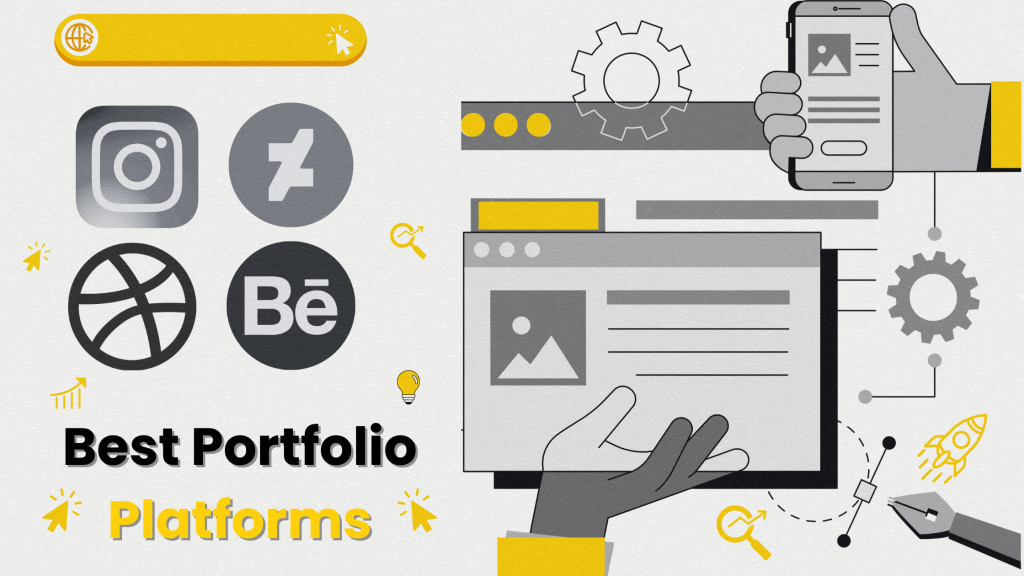
Choosing the right, or the best portfolio platforms to showcase your work as a creative can be daunting and overwhelming.
Whether you’re a photographer, a designer, an artist, a writer, or any other type of creative, a well-organized and visually appealing portfolio can set you apart from the competition.
Other than having a personal portfolio website, showcasing your work on portfolio platforms can also make you stand out from your competition.
In this blog post, we will explore the best portfolio platforms available for creatives. We’ll discuss their features, pros, and cons to help you make an informed decision about which platform is right for you.
So, what yah waiting for? c’mon let go.
Table of Contents
Best Portfolio Platforms for Creatives
While discussing their features, pros, and cons. Here are the best portfolio platforms for creatives.
1. Behance
Behance, owned by Adobe, is one of the most popular portfolio platforms for creatives.
It’s a social media platform for creative professionals that allows users to showcase their projects, discover other creatives’ work, and connect with a community of like-minded individuals.
Features
- Portfolio Display: Easily upload and organize your work into projects.
- Community Interaction: Follow other creatives, appreciate projects, and leave comments.
- Job Listings: Access to job postings tailored to creative professionals.
- Integration: Seamless integration with Adobe Creative Cloud.
Pros
- Exposure to a large, active community of creatives.
- Ability to connect with potential clients and collaborators.
- No cost to create and maintain a portfolio.
Cons
- Templates and customization options are somewhat restricted.
- The high volume of users can make it difficult to stand out.
Best For:
Designers, illustrators, photographers, and anyone looking for community engagement and visibility within the creative industry.
2. Dribble
Dribbble is a community of designers sharing screenshots of their work, processes, and projects. It’s particularly popular among UI/UX designers, graphic designers, and illustrators.
Features
- Showcase Work: Upload snapshots (“shots”) of your projects.
- Community Feedback: Receive feedback and appreciation from other designers.
- Job Board: Access to job listings and freelance opportunities.
- Pro Membership: Enhanced features like project hosting and the ability to list job openings.
Pros
- Primarily design professionals, making it easier to get targeted feedback.
- High level of community interaction and support.
- Direct access to potential employers and clients.
Cons
- Primarily suited for visual work; Not ideal for writers or other non-visual creatives.
- New users might find it difficult to get started without an invite.
Best For:
UI/UX designers, graphic designers, illustrators, and those seeking detailed feedback from a design-centric community.
3. ArtStation
ArtStation is a platform for artists to showcase their portfolios, find job opportunities, and connect with other artists. It’s especially popular in the gaming, movie, and entertainment industries.
Features
- Portfolio Hosting: Create a professional-looking portfolio with various display options.
- Marketplace: Sell prints and digital products directly from your portfolio.
- Learning: Access to tutorials and educational content.
- Job Board: Job listings specific to the entertainment and creative industries.
Pros
- Strong focus on entertainment arts, making it ideal for game designers, concept artists, and illustrators.
- Ability to sell work and prints directly from the site.
- Connect with top industry professionals and companies.
Cons
- Best suited for artists in the entertainment industry; less versatile for other types of creatives.
- Some advanced features require a subscription.
Best For:
Concept artists, game designers, illustrators, and anyone looking to break into the entertainment industry.
4. Carbonmade

Carbonmade is a portfolio platform that emphasizes ease of use and beautiful design. It’s designed to help creatives build and maintain an online portfolio without needing technical skills.
Features
- User-Friendly Interface: Drag-and-drop functionality for easy portfolio creation.
- Customization: Various templates and customization options to personalize your portfolio.
- Analytics: Track visitor statistics and engagement.
- Multimedia Support: Host a variety of media types including images, videos, and animations.
Pros
- Intuitive design and user-friendly interface.
- High level of customization without needing to code.
- Responsive customer support and helpful resources.
Cons
- A monthly subscription is required for advanced features.
- Less focus on community engagement compared to platforms like Behance or Dribble.
Best For:
Photographers, artists, designers, and creatives looking for a simple and aesthetically pleasing portfolio solution.
5. DevianArt
DeviantArt is one of the oldest and largest online communities for artists and art enthusiasts. It allows users to showcase their art, receive feedback, and engage with a massive community.
Features
- Gallery: Upload and organize your artwork in customizable galleries.
- Community Interaction: Participate in groups, forums, and community challenges.
- Print Shop: Sell prints of your work directly through the platform.
- Premium Membership: Access to additional features like advanced gallery customization.
Pros
- Huge user base, offering extensive exposure and feedback.
- Active community with numerous groups and forums.
- Ability to sell prints and merchandise.
Cons
- The high volume of users can make it difficult for your work to stand out.
- Outdated Interface: Some users find the interface less modern compared to newer platforms.
Best For:
Artists, illustrators, and anyone looking for community engagement and feedback.
BONUS POINT
6. Instagram

Instagram, though not a traditional portfolio platform, has become a powerful tool for creatives to showcase their work, build a following, and connect with potential clients.
Its visual-first approach makes it ideal for artists, photographers, designers, and other visual creatives.
Features
- Visual Feed: Post images and videos of your work to a public or private feed.
- Stories and Highlights: Share ephemeral content or create permanent story highlights on your profile.
- IGTV and Reels: Share longer videos and creative short-form content.
- Engagement Tools: Use hashtags, comments, likes, and direct messages to interact with followers and potential clients.
- Business Profile: Access to analytics, advertising tools, and contact options for businesses.
Pros
- Access to a global audience with over a billion active users.
- High levels of user engagement and interaction.
- Uses hashtags and explore pages to increase visibility.
- No cost to create and maintain a profile.
Cons
- Profile layout and customization options are limited
- Visibility can be affected by changes in Instagram’s algorithm.
Best For:
Photographers, visual artists, illustrators, designers, and anyone looking to build a large and engaged following.
What to Consider Before Choosing a Portfolio Platform
Before choosing specific platforms, it’s important to understand their key features, and what makes them the perfect fit for you, for that, here are the key features to look into:
1. Purpose & Audience
Identify the main purpose of your portfolio. Are you showcasing your work to potential employers, clients, or collaborators?
Understanding your audience will help you select a platform that best presents your work in a manner that appeals to them.
2. Ease of Use & Customization
The platform should be user-friendly, allowing you to easily upload and organize your content.
Customization options are also important, as they enable you to tailor the look and feel of your portfolio to reflect your personal brand or style.
3. Security & Privacy
Ensure the platform offers robust security features to protect your content from unauthorized access.
Privacy settings are also crucial, allowing you to control who can view your portfolio and ensuring that your personal information is safeguarded.
4. Cost & Storage
Evaluate the cost of the platform, including any subscription fees or additional charges for premium features.
Also, consider the amount of storage space provided to ensure it can accommodate all your content without requiring frequent upgrades.
5. Community & Exposure
Some platforms have built-in communities or networks of professionals that can provide valuable exposure and opportunities for feedback, collaboration, and networking.
Choosing a platform with an active community can enhance your visibility and help you connect with others in
your field.
Frequently Asked Questions (FAQs)
- Can I use multiple portfolio platforms at the same time?
Yes, many creatives use multiple portfolio platforms to maximize their exposure.
For instance, you might use Behance for community engagement, ArtStation for industry-specific opportunities, and Instagram for social media presence.
Using multiple platforms can help you reach different audiences and take advantage of each platform’s unique features. - Are there any costs associated with using these portfolio platforms?
Many portfolio platforms offer free basic accounts, but they may also have premium plans that provide additional features such as custom domain names, advanced analytics, more storage, and enhanced customization options.
Review the pricing structure of each platform to determine what fits your budget and needs. - How important is it to engage with the community on these portfolio platforms?
Engaging with the community is crucial for getting feedback, building relationships, and increasing your visibility.
Active participation can lead to more exposure, collaborations, and job opportunities.
Commenting on others’ work, joining groups, and participating in challenges are great ways to become a valued member of the community.
Conclusion
Ultimately, the best portfolio platforms for you depend on your specific needs and goals. Consider what each platform offers in terms of features, community, and customization, and choose the one that aligns with your creative vision.
By creating compelling online portfolio platforms, you can effectively showcase your talent, attract clients, and take your creative career to new heights.